Skip to content

INDUSTRY

Technology modernization for food and distribution

In food and distribution, margin is defended in the details: a mistaken order, stale inventory, or a dispatch nobody can track ends up costing product, time, and trust. We can help connect those stages so the operation no longer rests on phone calls and spreadsheets.

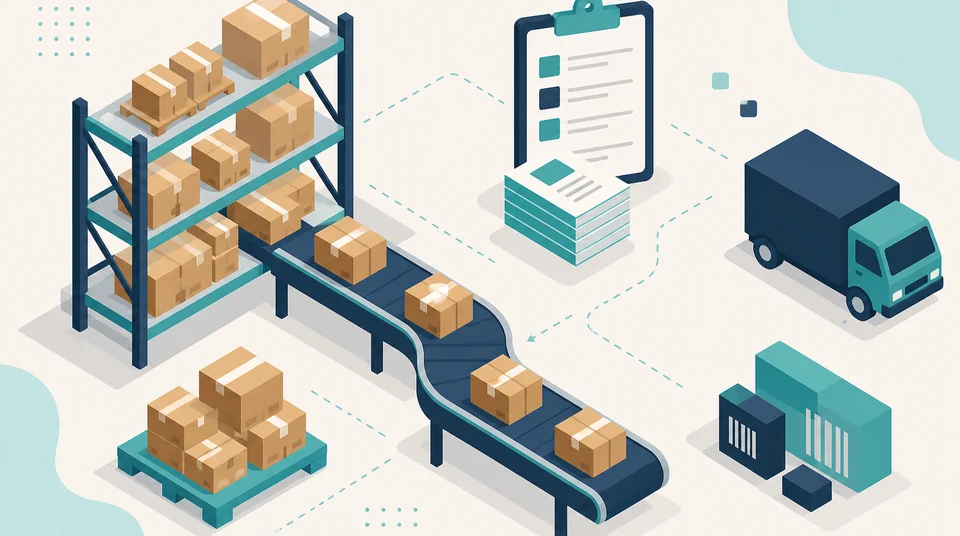
Illustration of a distribution operation connecting orders, warehouse inventory, and delivery routes.

Operating context

How the day usually runs

Before talking about tools, it helps to look at the full journey of the product and the order. These are the processes that tend to set the pace.

  • Order intake across several channels: field sales, phone, WhatsApp, and email.
  • Inventory control with turnover, lots, and expiry dates that leave no room for delay.
  • Purchasing and replenishment based on estimated demand, storage capacity, and supplier availability.
  • Picking and verification before dispatch, with shortages or last-minute changes.
  • Routes and deliveries with different receiving windows for each customer.
  • Invoicing, receivables, and reconciliation of what was delivered against what was ordered.

Common friction

Where time and product are lost

None of these points is unique to the sector, but they weigh more here because product has a shelf life and delivery has a time slot.

  • An order is taken in one channel and retyped into the system, risking errors in quantities and prices.
  • The available stock the sales team sees does not match what is actually in the warehouse.
  • Picking depends on the team's memory more than on a clear document.
  • Nobody knows for sure where a dispatch stands until the customer complains.
  • Returns and shortages are recorded late and distort month-end numbers.
  • Sales and turnover reports are assembled by hand and arrive too late to inform a decision.

What we would examine

Where an assessment would start

The goal is not to list tools but to understand where the chain between order and delivery breaks.

  • The full order journey: who takes it, where it is recorded, and how many times it gets retyped.
  • How inventory is updated and how trustworthy it is at the moment of committing a sale.
  • What rules exist for lots, expiry, and turnover, and whether the system supports them or people carry them.
  • How dispatch is planned and what information is missing at loading time.
  • Which indicators are reviewed today, how often, and how much manual work they cost to produce.
  • Which systems are already in use and which ones are worth keeping, integrating, or completing.

What we can build

Modernization routes that tend to be relevant

These are the most common directions. The specific combination depends on the size of the operation and on what already exists.

  • A single record of the order, from intake to delivery, with no retyping.
  • Inventory connected to sales, with real availability and alerts for turnover or expiry.
  • Picking and dispatch documents generated by the system instead of assembled by hand.
  • Automation of repetitive tasks: confirmations, order consolidation, and sending supporting documents.
  • Operational and commercial dashboards with data that refreshes without manual work.
  • Orderly access and backups so critical information does not depend on a single machine or person.

Map

From order to information, stage by stage

A quick read of where friction appears and which route each stage could follow.

Operating area
Common friction
Relevant path
Operating areaOrders
Common frictionScattered channels and repeated data entry.
Relevant pathSingle order capture with price and availability validation.
Operating areaInventory
Common frictionStock figures that do not reflect the warehouse.
Relevant pathInventory connected to sales, with lot and expiry control.
Operating areaPicking
Common frictionPreparation based on memory and loose notes.
Relevant pathSystem-generated picking lists with recorded verification.
Operating areaDispatch
Common frictionLittle visibility into what left, when, and with whom.
Relevant pathDispatch planning with statuses visible to the sales team.
Operating areaDelivery
Common frictionExceptions and returns reported too late.
Relevant pathDelivery and exception capture at the moment, available for invoicing.
Operating areaInformation
Common frictionManual reports that arrive too late to decide.
Relevant pathSales, turnover, and fulfillment indicators refreshed automatically.

This map is a general applicability guide. The actual route is defined after reviewing your operation.

In detail

Two fronts where change tends to show first

These are the two directions we usually review before proposing any tool.

From order to delivery with more visibility

When every stage leaves a trace in the same place, the question “where is that order?” stops costing ten phone calls.

  • A clear order status the sales team can check without calling the warehouse.
  • Less repeated data entry between order intake, picking, and invoicing.
  • Delivery exceptions captured in the moment, not reconstructed the next day.
  • Enough traceability to answer a customer with data instead of assumptions.

Operational information to buy, produce, and distribute better

Buying well and dispatching on time depend on the same thing: reliable, timely information.

  • Turnover by product, customer, and zone to guide purchasing and replenishment.
  • Early alerts on expiry, overstock, and frequent stockouts.
  • Comparison between what was ordered, dispatched, and delivered.
  • Reports that refresh on their own and free up hours of manual work.

Capabilities

Capabilities that typically apply

A summary of what usually comes into play in this kind of operation.

  • ERP and business operations
  • CRM and customer management
  • Business Intelligence
  • Power Platform
  • Cloud services

Technologies

Representative technologies

A representative selection. The actual mix depends on what is already in use and what is worth keeping.

  • Microsoft 365
  • Power Platform
  • Power Automate
  • Power BI
  • Python
  • Microsoft Azure

Types of work

What this looks like in practice

Illustrative examples by problem type, not descriptions of projects delivered in this sector.

Operations and customer systems

View related solution examples

Data, dashboards, and reporting

View related solution examples

See all types of work

How we work

From operational gap to practical solution

We do not start by selling a tool. We start by understanding how your business operates and what should be improved first.

  1. 01

    Assess

    Understand current processes, systems, risks, and friction points.

  2. 02

    Prioritize

    Define which improvements create the most value and what should be resolved first.

  3. 03

    Implement

    Configure, develop, or integrate the right solution for the need.

  4. 04

    Automate

    Reduce manual tasks and connect information when it is useful and practical.

  5. 05

    Sustain

    Document, support, measure, and improve the solution over time.

FAQ

Frequently asked questions

Does this mean replacing the ERP we already have?

Not necessarily. We would first review what your current system handles well and where the real friction appears. Integrating or completing it is often the better move; a replacement only makes sense when the system can no longer support the process even with reasonable adjustments.

Can inventory, orders, and deliveries be integrated?

In most cases yes, and the scope depends on whether your current tools allow data exchange. When no direct integration exists, an intermediate layer can be built to avoid double entry and keep a single order status.

Do we have to stop using Excel?

Not always. Excel works well for one-off analysis; the problem starts when it becomes the place where operations live. One possible route is to move what must be shared and controlled into a system, and keep Excel for what genuinely benefits from flexibility.

How does dispatch visibility improve?

When picking and departure are recorded inside the same order flow, status stops depending on phone calls. The sales team can see what was prepared, what left, and what is pending without interrupting the warehouse.

Can sales and turnover reports be automated?

Yes, as long as the data has a reliable source. That is why capture is usually tidied first and reporting automated afterwards: a fast dashboard on inconsistent data only accelerates the wrong discussion.

Does this work if we have several sites or warehouses?

Yes. What matters is defining how inventory is handled per location, who can move product between warehouses, and how figures are consolidated. That definition usually matters more than the tool you choose.

Where should we start?

At the point where mistakes cost the most. If the biggest pain is in order intake, starting with reports changes nothing. A short assessment is usually enough to settle that priority before committing budget.

Can sales, inventory, warehouse, billing, and dispatch systems be connected?

Yes, when the systems involved provide suitable data or integration methods. The objective can be to reduce duplicate entry, improve status visibility, and maintain consistent identifiers from order through dispatch. Replacing the main system is not always necessary to improve visibility between stages.

View more questions
How can Business Intelligence help a food distribution company?

It can combine indicators for sales, turnover, inventory, orders, returns, and delivery performance when the source systems contain sufficient and comparable information. The value comes from connecting those indicators to operational decisions rather than simply producing more charts.

Can orders received through email, forms, or WhatsApp be automated?

Parts of the process can be automated when the channel supports reliable integration. Capture, validation, assignment, and tracking can be structured without assuming every order should enter the final system automatically. Commercial exceptions and cases requiring human review should remain clearly defined.

Can traceability be improved without replacing the entire existing system?

Yes. The first step can be identifying which events need tracking, which identifiers already exist, and where information is lost between systems or teams. Integrating sources and standardizing status information can improve traceability before considering a complete platform replacement.

What technology is appropriate for a distributor with multiple warehouses or routes?

There is no single answer. Inventory, orders, connectivity, mobility, data, existing systems, and points where disruption affects delivery should be reviewed. The solution may combine integration, infrastructure, automation, and analytics rather than depend on one platform.

Want to review your order-to-delivery chain?

Tell us how the operation runs today and let's discuss a concrete first step with realistic scope.

Talk on WhatsApp

Contact

Contact us

Reach our team on the channel you prefer. Tell us what you want to improve and we will guide the next step.

WhatsApp

Message us directly to discuss your requirement or project.

Open WhatsApp

Phone

Call our team during regular business hours.

+57 322 810 0001

Call now

Email

Send us the details of your question or project.

info@orqui.tech

Send email

Bogotá office

Carrera 62 #98B-22, Office 302A, Bogotá, Colombia

Get directions
· FREE ISO 27001 REVIEW ·