Skip to content

INDUSTRY

Technology for professional services businesses

In professional services the product is the team's judgment, but the margin depends on how work flows. When client intake, documents, and approvals live in scattered emails, much of the day goes into asking where things stand. We can help give that flow a shape.

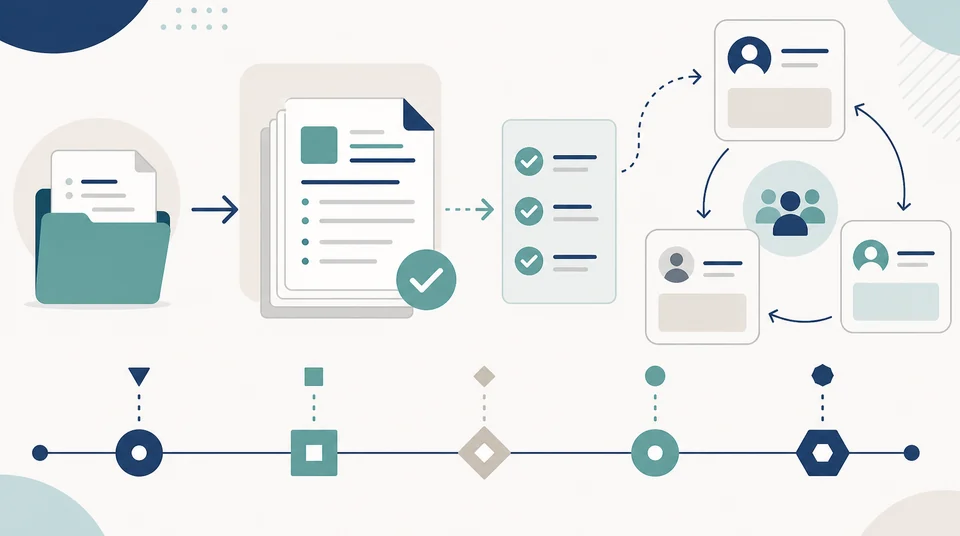
Illustration of a professional workflow connecting client intake, documents, and approvals.

Operating context

How the day usually runs

The work is different at every firm, but the structure of the flow repeats more than it seems.

  • Client intake: proposal, agreed scope, contract, and opening of the file.
  • Collecting information and documents that depend on the client.
  • Execution by one or several professionals, against internal quality criteria.
  • Reviews and approvals before delivery, sometimes across several levels.
  • Formal delivery to the client and a record of what was committed.
  • Ongoing follow-up: renewals, deadlines, billing, and new requests.

Common friction

Where the non-billable time goes

In this context friction is rarely technical: it is coordination that nobody designed explicitly.

  • Each professional organizes work their own way and only the person doing it knows the real status.
  • Client documents arrive by email and several versions circulate at the same time.
  • Approvals are requested over chat and it is unclear who approved what, or when.
  • Deadlines are remembered through personal calendars rather than a shared system.
  • Preparing a status update for a client means reconstructing the story by hand.
  • When someone takes leave, the context of the matter leaves with them.

What we would examine

Where an assessment would start

Before talking about platforms, it helps to see how work comes in and how it is decided that it is done.

  • How a new request arrives and what information is gathered before committing to scope.
  • Where documents live, how they are named, and who controls versions.
  • What reviews or approvals exist and whether they are recorded anywhere.
  • How anyone knows the current status of each engagement and who they have to ask.
  • Which administrative tasks the team repeats every week without adding professional judgment.
  • Which collaboration tools are already licensed and how much of them is actually used.

What we can build

Modernization routes that tend to be relevant

It is almost always about making an existing flow visible rather than imposing a new methodology.

  • An intake form that gathers what is needed up front and opens the matter with complete data.
  • A document repository with structure, versioning, and role-based permissions.
  • Review and approval flows that record who approved and when.
  • Automatic reminders for deadlines, deliverables, and renewals.
  • A status board by client and engagement that can be checked without interrupting the team.
  • A portal or shared space where the client submits information and follows progress.

Map

From intake to follow-up, stage by stage

A read of the professional workflow and the routes each stage can take.

Operating area
Common friction
Relevant path
Operating areaIntake
Common frictionRequests that arrive without complete information.
Relevant pathIntake form with validation and a structured opening of the matter.
Operating areaDocuments
Common frictionMultiple versions circulating over email.
Relevant pathRepository with structure, version control, and role-based permissions.
Operating areaWork
Common frictionOnly the person executing knows the real status.
Relevant pathA flow with stages and owners visible to the whole team.
Operating areaApproval
Common frictionChat authorizations that leave no trace.
Relevant pathApprovals recording owner, date, and comments.
Operating areaDelivery
Common frictionEvery deliverable is assembled differently.
Relevant pathTemplates and delivery checklists with evidence of what was sent.
Operating areaFollow-up
Common frictionDeadlines and renewals that depend on memory.
Relevant pathAutomatic reminders and a status board by client.

This map is a general applicability guide. The actual route depends on the type of service and each firm's own obligations.

In detail

Two fronts where change tends to show first

These are the two directions we usually review before proposing any tool.

From client intake to a clear workflow

When a matter opens with complete information, everything that follows costs less.

  • A single entry point for new requests, with the minimum required information defined.
  • Scope and owners recorded from day one of the matter.
  • Client documents in the right place, without email chains.
  • Fewer meetings spent working out where things were left.

Less manual chasing, more visibility into the service

Follow-up should not be a separate job: it should be a by-product of how the flow is built.

  • Status by client and engagement available without asking.
  • Deadline and renewal reminders that do not depend on personal calendars.
  • Recorded approvals that pay off when someone asks months later.
  • Continuity when the owner changes, because the context stays in the system.

Services

Services relevant to this context

Each service explains scope, deliverables, and FAQs in more detail.

See all services

Capabilities

Capabilities that typically apply

A summary of what usually comes into play in this kind of operation.

  • CRM and customer management
  • Approval workflows and document management
  • Internal and external portals
  • Business Intelligence
  • IT Projects
  • IT Management / ITSM

Technologies

Representative technologies

A representative selection. The actual mix depends on what is already in use and what is worth keeping.

  • Microsoft 365
  • SharePoint
  • Microsoft Teams
  • Power Automate
  • Power BI
  • Entra ID

Types of work

What this looks like in practice

Illustrative examples by problem type, not descriptions of projects delivered in this sector.

Operations and customer systems

View related solution examples

Automation and artificial intelligence

View related solution examples

Web applications, portals, and websites

View related solution examples

Technology project delivery

View related solution examples

See all types of work

How we work

From operational gap to practical solution

We do not start by selling a tool. We start by understanding how your business operates and what should be improved first.

  1. 01

    Assess

    Understand current processes, systems, risks, and friction points.

  2. 02

    Prioritize

    Define which improvements create the most value and what should be resolved first.

  3. 03

    Implement

    Configure, develop, or integrate the right solution for the need.

  4. 04

    Automate

    Reduce manual tasks and connect information when it is useful and practical.

  5. 05

    Sustain

    Document, support, measure, and improve the solution over time.

FAQ

Frequently asked questions

Does this force the team to change how they work?

It should not. The idea is to make the existing flow visible and remove manual steps. When a tool forces a different way of working without a clear reason, the team abandons it and the problem comes back.

Can we use what we already license?

Often yes, and it is usually the first option to review. It is common to find collaboration and automation tools already paid for but used only for email and files, when they could support much of the flow.

How are documents with sensitive information handled?

With role-based permissions, version control, and access traceability. We would review what information each person actually needs, since excess access is usually a bigger risk than a lack of tools.

Does this work for a small team?

Yes, and sometimes it pays off more than in a large team. With few people every administrative hour weighs heavily, and a simple flow with automatic reminders already changes the weekly load.

Can clients get access without exposing internal information?

Yes. A shared space can show only what belongs there: requested documents, general status, and deliverables. Internal material stays separate, with different permissions.

What can be automated without losing professional judgment?

Whatever is repetitive and rule-based: reminders, folder creation, document requests, deadline notifications, and report consolidation. The technical decision stays with the team; what disappears is the manual coordination.

Where should we start?

At the point in the flow where people most often ask “where does this stand?”. That question tends to pinpoint exactly where visibility is missing, and fixing it frees up time almost immediately.

Can documents, approvals, and files be organized with Microsoft 365 or SharePoint?

Yes, when those platforms are appropriate for the environment. Information, permissions, versions, approvals, and automation can be structured, but classification, ownership, and lifecycle should be defined first so existing disorder is not simply moved into a new platform.

View more questions
How can a CRM help a professional services firm?

It can centralize opportunities, proposals, contacts, follow-up, and customer relationship status. Its value increases when the CRM reflects the actual commercial process and reduces parallel records across email, spreadsheets, and personal notes.

Can a secure customer portal be created?

Yes. A portal can support document exchange, requests, status information, or specific data through authentication and permissions. It should expose only what the customer needs while keeping internal systems separated from the public-facing surface.

Can proposals, approvals, reminders, and administrative tasks be automated?

Yes, particularly when the steps and exceptions are well defined. Automation can prepare information, create tasks, request approvals, and maintain follow-up. Decisions requiring professional judgment should retain human involvement rather than being automated simply because it is technically possible.

What operational indicators might a professional services firm need?

It depends on the operating model, but opportunity status, workload, project progress, response times, and milestone completion may be relevant. The right indicator is one that supports a decision and can be calculated from reliable data.

Want the status of every engagement visible without asking?

Tell us how work arrives and advances in your firm and let's discuss a concrete first step.

Talk on WhatsApp

Contact

Contact us

Reach our team on the channel you prefer. Tell us what you want to improve and we will guide the next step.

WhatsApp

Message us directly to discuss your requirement or project.

Open WhatsApp

Phone

Call our team during regular business hours.

+57 322 810 0001

Call now

Email

Send us the details of your question or project.

info@orqui.tech

Send email

Bogotá office

Carrera 62 #98B-22, Office 302A, Bogotá, Colombia

Get directions
· FREE ISO 27001 REVIEW ·