Skip to content

INDUSTRY

Technology modernization for beauty and wellness

In beauty and wellness, the operation is decided in the calendar and in the client experience. When bookings, staff, inventory, and follow-up live in separate places, the business loses service hours and repeat visits. We can help connect those pieces without complicating the team's day.

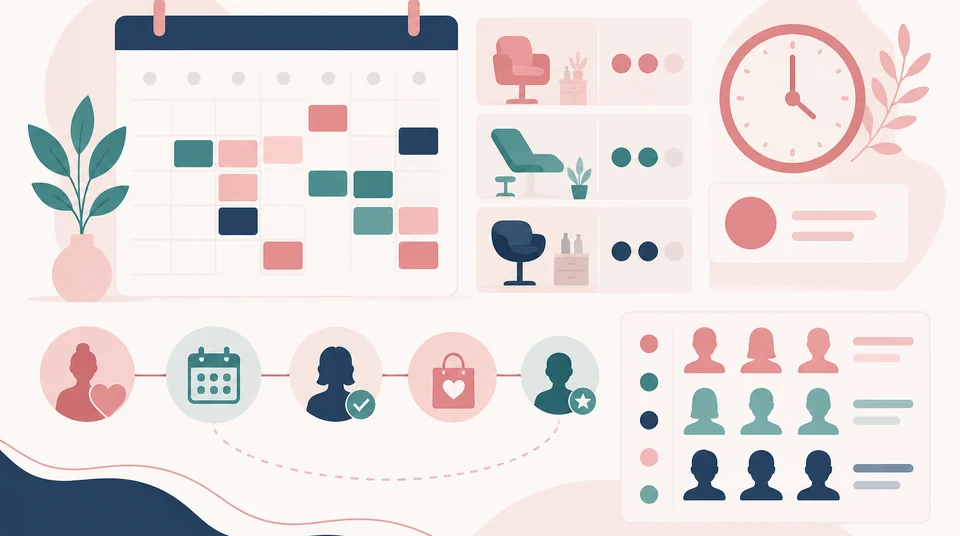
Illustration of a beauty and wellness operation connecting scheduling, staff, and client history.

Operating context

How the day usually runs

The operation is organized around the calendar, but it depends on several pieces that are rarely connected to each other.

  • Initial enquiries arriving by WhatsApp, social media, phone, or at the front desk.
  • Scheduling by professional, by room, and by service duration.
  • Confirmations, reminders, and rescheduling that consume a good part of the day.
  • Supplies and products consumed during the service and also sold to the client.
  • A record of preferences and of what was done at each visit, to pick the conversation back up later.
  • Cash, staff commissions, and daily close per location.

Common friction

Where hours and clients slip away

Most of these points do not register as problems until the calendar fills up and the team grows.

  • Enquiries arrive across several channels and some are answered late or not at all.
  • The calendar lives in one tool and client information in another, or in a notebook.
  • Confirming and rescheduling appointments takes team time that could go to serving clients.
  • No-shows leave gaps that cannot be reassigned in time.
  • Supply consumption is not reflected in inventory and shortages appear at the worst moment.
  • Follow-up depends on someone remembering rather than on a process.

What we would examine

Where an assessment would start

The idea is to understand the client journey and the team's actual work before proposing tools.

  • How an enquiry arrives, who handles it, and how long it takes to become a booking.
  • How the calendar is built, what duration and availability rules exist, and who can change them.
  • Where client information is recorded and who has access to it.
  • How supplies are controlled and how closely that consumption relates to sales.
  • What happens after the visit: follow-up, reminders, and reasons to return.
  • Which tools are already in use and which are worth keeping before considering anything new.

What we can build

Modernization routes that tend to be relevant

The criterion is simple: the team should spend less time coordinating and more time serving clients.

  • Online booking connected to the real availability of staff and rooms.
  • Automatic reminders and confirmations, with clear rescheduling rules.
  • A single client history with role-based permissions.
  • Supply and product control linked to the service delivered and to sales.
  • Indicators for occupancy, repeat visits, and performance by location or professional.
  • Orderly access, backups, and permissions for handling personal data more carefully.

Map

From enquiry to information, stage by stage

Where friction usually appears and which route each stage of the journey can follow.

Operating area
Common friction
Relevant path
Operating areaEnquiry
Common frictionMessages across several channels and scattered replies.
Relevant pathOne entry point with quick replies and a record of each enquiry.
Operating areaScheduling
Common frictionAvailability coordinated by hand across people and rooms.
Relevant pathBooking connected to real availability, with rules per service.
Operating areaService
Common frictionSupplies and visit details noted separately.
Relevant pathService record linked to inventory and client history.
Operating areaFollow-up
Common frictionDepends on someone remembering to write.
Relevant pathReminders and follow-up messages driven by defined rules.
Operating areaLoyalty
Common frictionNo simple way to know who stopped coming back.
Relevant pathSegmentation by frequency and preferences for timely invitations.
Operating areaInformation
Common frictionOccupancy and repeat-visit figures assembled by hand.
Relevant pathIndicators by location, professional, and service refreshed automatically.

This map describes general applicability and is not clinical or health advice. The actual route is defined after reviewing your operation.

In detail

Two fronts where change tends to show first

These are the two directions we usually review before proposing any tool.

From first enquiry to client follow-up

Most opportunities are not lost during the service: they are lost before booking or after the visit.

  • Every enquiry is recorded, no matter which channel it arrived through.
  • Moving from enquiry to booking stops depending on a chain of messages.
  • Visit history is available to whoever serves the client next time.
  • Follow-up rests on clear rules rather than on the team's memory.

Scheduling, team, and client experience connected

A well-connected calendar does more than prevent double bookings: it decides how productive the day is.

  • Real availability by professional, room, and service duration.
  • Fewer gaps from no-shows, thanks to reminders and rescheduling rules.
  • Supply consumption visible alongside the day's operation.
  • Occupancy and repeat visits measured per location, so decisions rest on data rather than impressions.

Capabilities

Capabilities that typically apply

A summary of what usually comes into play in this kind of operation.

  • CRM and customer management
  • Azure and Microsoft 365
  • Power Platform
  • Internal and external portals
  • Cybersecurity

Technologies

Representative technologies

A representative selection. The actual mix depends on what is already in use and what is worth keeping.

  • Microsoft 365
  • Power Platform
  • Power Automate
  • Vue
  • Cloudflare
  • Power BI

Types of work

What this looks like in practice

Illustrative examples by problem type, not descriptions of projects delivered in this sector.

Operations and customer systems

View related solution examples

Web applications, portals, and websites

View related solution examples

Automation and artificial intelligence

View related solution examples

See all types of work

How we work

From operational gap to practical solution

We do not start by selling a tool. We start by understanding how your business operates and what should be improved first.

  1. 01

    Assess

    Understand current processes, systems, risks, and friction points.

  2. 02

    Prioritize

    Define which improvements create the most value and what should be resolved first.

  3. 03

    Implement

    Configure, develop, or integrate the right solution for the need.

  4. 04

    Automate

    Reduce manual tasks and connect information when it is useful and practical.

  5. 05

    Sustain

    Document, support, measure, and improve the solution over time.

FAQ

Frequently asked questions

Can we offer online booking without losing control of the calendar?

Yes. Online booking works well when it respects the business rules: duration per service, availability per professional, preparation time, and blocks. Control lives in those rules, not in answering every message by hand.

Do reminders help with no-shows?

They usually help, though the result depends on your audience and channel. What always changes is the team's workload: confirming stops being a manual task and the freed-up time can go to serving clients.

We have several locations. Can everything be managed together?

Yes, and the key decision is how much is shared across locations: calendar, clients, inventory, and pricing. We would review what is worth unifying and what should stay independent so local operations do not get more complicated.

What about clients' personal data?

It is a serious operational topic. We can help organize role-based access, backups, and permissions, and document where each piece of data lives. That order is the foundation for meeting your personal-data obligations alongside your legal advisors.

We already use a booking tool. Do we need to change it?

Not necessarily. If the calendar works, the problem is often in what happens around it: history, inventory, or follow-up. We would review whether connecting what exists makes more sense than switching tools.

Can we control both service supplies and retail products?

Yes, and it is worth separating them from the start: what is consumed during a service does not behave like what is sold to the client. With that distinction clear, controlling shortages and costs becomes much simpler.

Where should we start?

Almost always with the calendar, because it holds everything else together. Once availability and rules are clear, connecting history, inventory, and follow-up becomes much more natural.

Can scheduling, CRM, payments, inventory, and customer follow-up be integrated?

Yes, when the platforms support integrations or reliable data exchange. The goal is to reduce duplicate records and maintain a consistent view of appointments, services, customers, and inventory without exposing information to users who do not need it.

View more questions
Can confirmations, reminders, and follow-up through WhatsApp be automated?

Yes, when the channel, available APIs, and communication rules support it appropriately. Operational confirmations, reminders, and commercial messaging should be distinguished, consent should be maintained where applicable, and there should be a clear path for human intervention when needed.

How can a CRM help an aesthetic clinic, spa, or wellness business?

A CRM can organize inquiries, opportunities, follow-up, and customer relationships when the information to be retained is properly defined. Commercial data should be distinguished from sensitive information and appropriate permissions applied so a follow-up tool does not expose unnecessary data.

Can you create dashboards for sales, occupancy, services, and inventory?

Yes, when the source systems record that information consistently enough. Before building the dashboard, indicators such as occupancy, service demand, sales, or inventory movement should be defined and verified so each area uses the same definitions.

What technology should be reviewed before opening a new location?

Connectivity, system access, user identity, devices, backup, shared data, inventory, and support should be reviewed. Defining these elements before opening reduces improvised configurations and helps the new location operate under the same technology rules as the rest of the organization.

Want to review how your calendar works today?

Tell us how enquiries arrive and how the team is organized, and let's discuss a realistic route.

Talk on WhatsApp

Contact

Contact us

Reach our team on the channel you prefer. Tell us what you want to improve and we will guide the next step.

WhatsApp

Message us directly to discuss your requirement or project.

Open WhatsApp

Phone

Call our team during regular business hours.

+57 322 810 0001

Call now

Email

Send us the details of your question or project.

info@orqui.tech

Send email

Bogotá office

Carrera 62 #98B-22, Office 302A, Bogotá, Colombia

Get directions
· FREE ISO 27001 REVIEW ·